
Ga door naar hoofdinhoud
Word lid van de reparatiegemeenschap - Account aanmaken

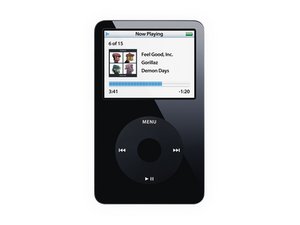
Model A1136 / 30, 60, or 80 GB hard drive / black or white plastic front

Why won't my iPod restore?

After replacing the 30gb hard drive with an 80gb hard drive and installing the new back, i try to restore my iPod, using Itunes, it goes through the restoring process but when it comes time for the computer to recognize the device it tells me i need to restore it. i went through this process 5 times. what do I do?

Beantwoord! Bekijk het antwoord Dit probleem heb ik ook

Is dit een goede vraag?

Score -1
Voeg een opmerking toe

2 Antwoorden

Gekozen oplossing

You may have a drive that is *INCOMPATIBLE* with the iPod video 5th generation. The 80GB drive "MK8010GAH", that is usually found in an iPod video "5.5" generation, is actually not compatible with the logic board in the 5th generation iPod video (neither the 60GB nor the 30GB models). This table might help you locate a compatible hard drive for your iPod.

http://www.rapidrepair.com/phpbb/viewtop...

I had exactly the same issue, when I replaced my 60GB drive with an alternative and discovered this drive was not compatible with the iPod 5th generation. I got the same 'restore in itunes' loop over and over. Essentially, the iPod firmware cannot write to the hard drive, so the restore doesn't work.

Was dit antwoord nuttig?

Score 1

2 opmerkingen:

Thanks, that makes perfect sense, if i bought the wrong HD could i buy the new, compatible, Logic board? or should i just get the new compatible HD?

door

If you bought the wrong HD you would need to be a new HD. What HD did you buy?

door

Voeg een opmerking toe

Are those the only two parts you replaced? To properly do this upgrade, you also need to replace the headphone jack, battery, and rubber bumpers. It's possible not replacing those parts with the 60/80 gig version is causing trouble.

Was dit antwoord nuttig?

Score 0

2 opmerkingen:

thanks, the new back came with the battery, head and Hold button. the rubber bumpers are reused from the original 30gb HD.

door

You probably should replace those then with those of a 60/80 gig version, if the HD is not in proper place, that could cause issues.

door

Voeg een opmerking toe

Voeg je antwoord toe

Michael Clements zal eeuwig dankbaar zijn.
Weergavestatistieken:

Afgelopen 24 uren: 0

Afgelopen 7 dagen: 1

Afgelopen 30 dagen: 4

Altijd: 2,625
